Apple Pay users may receive text messages claiming there is a problem with Apple Pay, a payment method, or a recent transaction. These messages often create urgency and try to push recipients toward a link, phone number, credential request, or security-code prompt.
Quick answer: Verify an unexpected Apple Pay security alert through Wallet and your card issuer before calling anyone. A support link, Apple logo, or specific dollar amount does not authenticate the sender or a callback number.
Apple Warns About Fake Unauthorized Apple Pay Charge Alerts
Apple’s current social-engineering and phishing guidance specifically warns that impersonators may claim someone made unauthorized charges using Apple Pay. The supposed helper may then try to obtain sign-in credentials, security codes, financial information, or access through a fraudulent website.
Do not use the text itself to verify the alert. Do not reply, call a number supplied only by the message, share a verification code, or sign in through its link. Open Wallet, your bank/card app, or Apple Support independently.
What Is the Apple Pay Alert Text Scam?
The Apple Pay Alert Text Scam is a fraudulent text message designed to look like an official security alert from Apple or a bank associated with Apple Pay.
These messages often claim:
-
Suspicious activity has been detected
-
Your Apple Pay account has been locked
-
A payment was declined
-
A new device has been added
-
A transaction requires verification
-
Your payment method must be updated
The goal may be to make you call a supposed support agent, enter credentials on a fake page, or disclose card details and verification codes. A callback-first message can be dangerous even when you never click a link.
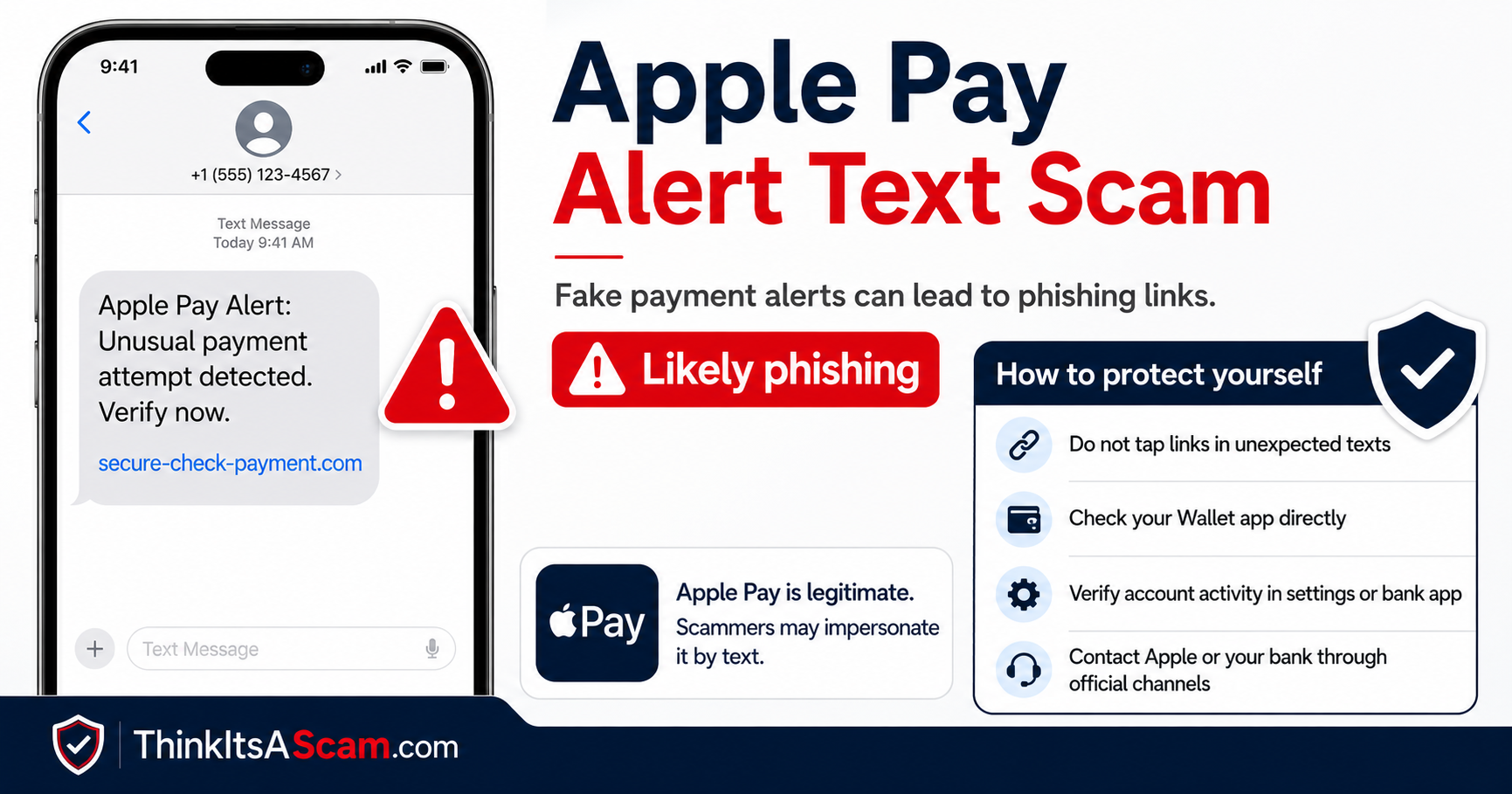
Illustrative Apple Pay alert graphic; not an authenticated received text.
How the Scam Works
-
The alert creates a problem: an alleged charge, suspended payment method, or unfamiliar device.
-
It supplies its own solution: call a listed number to dispute the purchase, or follow a link to verify the account.
-
The call or website requests something sensitive: a password, verification code, card details, or an action described as canceling a charge.
-
The urgency discourages independent checking. Stop and contact the real organization through a route you obtain yourself.
A genuine getsupport.apple.com link can be copied into the same message as an unfamiliar callback number. The legitimate link does not vouch for the rest of the text.
Example Scam Messages
Scam Text Example #1
Illustrative wording, not an authenticated received message.
“Apple Pay Alert: Suspicious activity detected on your account. Verify your identity immediately: [fake link]”
Scam Text Example #2
Illustrative wording, not an authenticated received message.
“Your Apple Pay account has been temporarily suspended due to unusual activity. Restore access here: [fake link]”
Scam Text Example #3
Illustrative wording, not an authenticated received message.
“Apple Pay Security Notice: A payment of $499.99 was attempted. If this was not you, verify your account immediately.”
These examples illustrate urgency and account-verification claims. They are not evidence of a particular sender, incident date, or confirmed loss.
Warning Signs of an Apple Pay Scam
Watch for these red flags:
Unexpected Security Alerts
If you receive a security warning you were not expecting, verify it through official channels.
Suspicious Links
Scammers often use websites that resemble Apple but contain misspellings or unusual domain names.
Unverified Callback Numbers and Payment Instructions
Be wary of instructions to call an unfamiliar number, move money, or approve a payment to cancel a supposed purchase. A logo, exact amount, or genuine support link does not verify those instructions.
Requests for Personal Information
Apple will not ask for passwords, verification codes, or banking information through unsolicited text messages.
Urgent Deadlines
Messages that claim immediate action is required are often scams.
How to Protect Yourself
Never Share Verification Codes
Treat verification codes like passwords.
Do not read a verification code to an unexpected caller or send it in reply to an unsolicited alert.
Log In Directly
Open your Apple Account settings or Wallet yourself, or navigate to Apple’s official website independently. Apple Account is the current name; older messages may still say Apple ID.
Enable Security Features
Use:
-
Two-factor authentication
-
Strong passwords
-
Face ID or Touch ID when available
How to Check an Apple Pay Alert Independently
-
Open Wallet yourself. On iPhone, open the Wallet app and tap the card named in the message.
-
Review recent transactions. Tap a transaction for more details. Apple notes that Wallet can show recent Apple Pay and card transactions.
-
Check your card issuer directly. Apple says the card issuer has the most accurate transaction record. Use the banking app, statement, or telephone number printed on the card—not a number from the text.
-
Check your Apple Account separately. If the message claims your Apple Account or device is compromised, open Settings or Apple’s official support site directly rather than following the message link.
-
If no matching charge exists, do not “cancel” it through the suspicious text. The alert itself may be the scam.
Apple’s Apple Pay transaction-history guide says you can view recent transactions in Wallet, but for the most accurate transaction record you should contact your card issuer.
Review Account Activity
Regularly check for:
-
Unauthorized transactions
-
Unexpected purchases
-
Unrecognized devices connected to your Apple Account
-
Changes to payment methods
What to Do If You Clicked, Called, or Shared Information
You only opened a page or called
Close the page or end the call. Do not enter information, approve prompts, download software, or send money. Merely opening a page does not establish that your account was taken over; what you shared or installed matters. Continue with the independent account checks above.
You shared a password or verification code
Follow Apple’s compromised-account instructions. Change the exposed Apple Account password through a trusted route, review account details and devices, and enable two-factor authentication. If you reused that password elsewhere, change it there too. If you cannot sign in, use Apple’s account-recovery service.
You installed software or allowed access
Stop following the caller’s instructions. Get help through Apple’s official support or another trusted device-support provider to review what was installed or granted. The FTC’s recovery guide covers exposed passwords and unwanted access to phones or computers.
You shared card details or sent money
Contact your card issuer, bank, or payment provider promptly through its official app or a verified number. Explain what happened and ask about securing the account and disputing or reversing the payment. Recovery is not guaranteed.
Report and preserve the evidence
Apple advises taking a screenshot of a suspicious SMS impersonating Apple and emailing it to reportphishing@apple.com. Keep a private copy of the original message and any transaction records. Do not post passwords, codes, or financial identifiers publicly.
Related Scam Warnings
- getsupport.apple.com: verifying a real support domain in a suspicious message
- iPhone scam protection: settings and supported-app limits
The iPhone feature guide does not promise detection of every fraudulent text or payment request.
Frequently Asked Questions
Can a real Apple support link appear in a fake text?
Yes. Anyone can include a genuine public link in a message. It does not authenticate the sender, the alleged transaction, or a different phone number supplied alongside it.
What if there is no matching charge in Wallet?
Check your card issuer’s app or contact the issuer independently; Apple says the issuer has the most accurate transaction record. Do not call the text’s number or make a payment to cancel an unverified charge.
Does receiving the alert mean my Apple Account was hacked?
The message alone does not establish that. Check your account directly. An unfamiliar device, changed account details, or an actual unauthorized transaction needs investigation through official channels.
Is clicking a link the same as giving away my password?
No. Separate what happened: opening a page, submitting credentials or codes, installing software, and sending money require different follow-up. Use the exposure-specific steps above.
Have You Received an Apple Pay Alert Text?
Share the wording, the date you received it, and whether it asked you to call or click. Distinguish the displayed sender number from any callback number inside the message. Before posting, remove your name, account or card numbers, personal links, and verification codes. A reader report is a lead for checking, not proof of who controls a number.
Disclaimer
ThinkItsAScam.com is an independent consumer information website. We are not affiliated with Apple Inc. This article is intended for educational purposes and to help consumers identify potential scams and phishing attempts.
Entire article reviewed October 22, 2026. Examples and the existing graphic are illustrative; no new independently authenticated recipient incident is claimed.
Leave a Reply