If you searched for WASH-Connect scam, Wash Connect scam, WASH Connect charge, WASH Connect $8 charge, or WASH Connect refund, you may be trying to understand a laundry payment, failed washer or dryer cycle, app balance, pending card authorization, or refund problem.
WASH-Connect is a real mobile laundry-payment app operated by WASH Multifamily Laundry Systems. It is used at participating apartment, condo, campus, and other shared laundry facilities.
The main concerns reported by consumers involve failed machine starts, app problems, refunds, balances left in an account, confusing card transactions, and difficulty resolving service issues — not a fake app pretending to be a laundry company.
Quick Verdict
WASH-Connect is a legitimate laundry-payment app, but charges and refunds should still be verified carefully. A failed washer or dryer can result in a valid refund request, a direct card payment may temporarily show an $8 authorization, and unused app balances can require a separate account-closure process. If you do not recognize a transaction at all, check the app and authorized card users before contacting your bank.
Share Your WASH-Connect Experience ↓
On this page:
What is WASH-Connect? ·
$8 charge ·
Failed cycle ·
Refunds ·
Remaining balance ·
Customer support ·
Unrecognized charges ·
Bank disputes
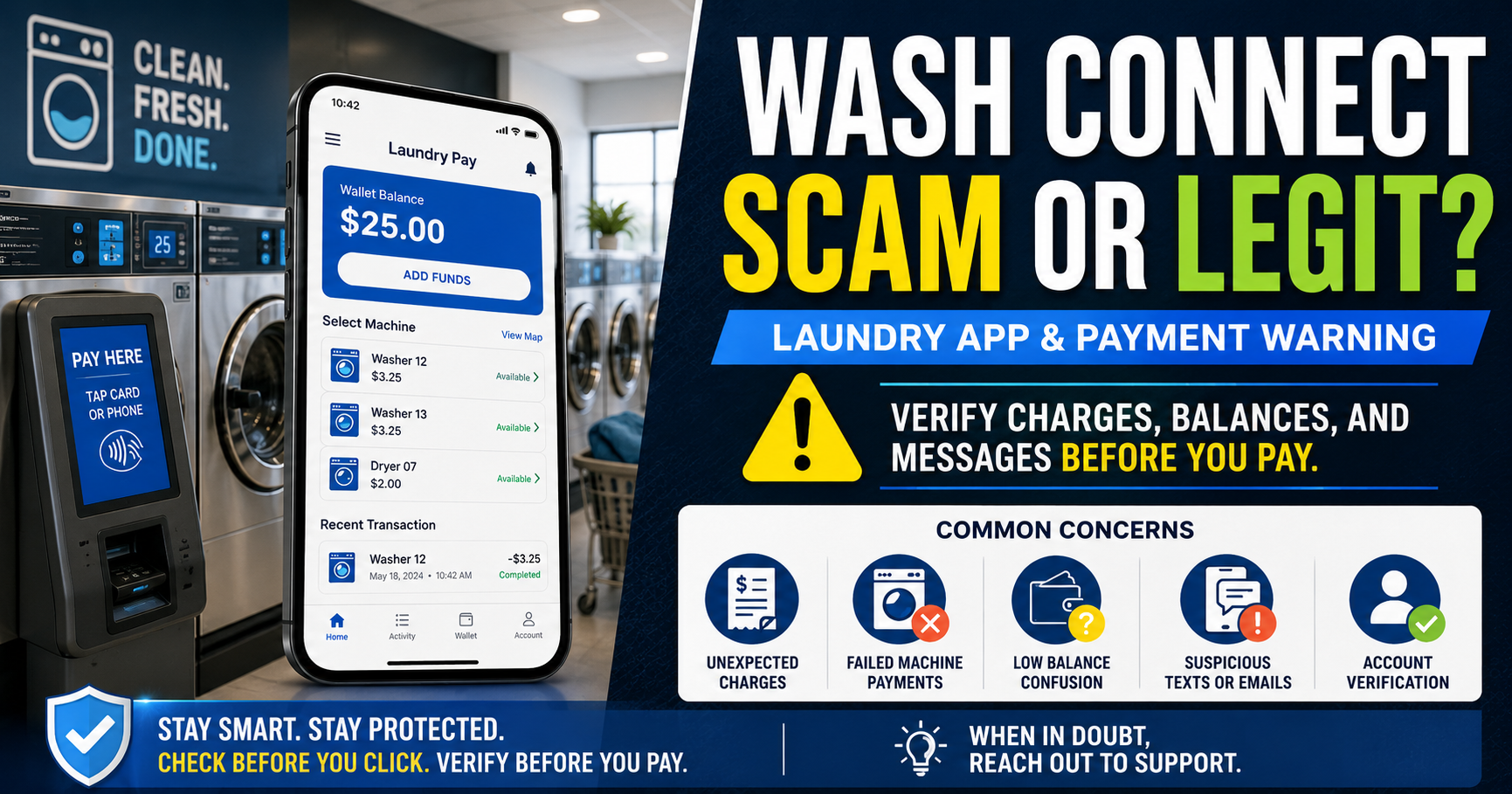
WASH-Connect is a real laundry-payment app. If a cycle fails or a charge looks unfamiliar, compare the app transaction, machine number, balance, and payment method before requesting a refund or bank dispute.
What Is WASH-Connect?
WASH-Connect is WASH Multifamily Laundry Systems’ mobile application for participating shared laundry facilities.
Depending on the property and equipment, residents can use the app to:
- Add funds to a laundry balance
- Pay for washer and dryer cycles
- View transaction history
- See supported machine information
- Receive cycle notifications
- Report broken machines
- Request refunds
- Contact app support
WASH says the app communicates with supported laundry equipment and is available for compatible iPhone and Android devices.
See the official WASH-Connect page for current product information.
Who Operates WASH-Connect?
WASH-Connect is associated with WASH Multifamily Laundry Systems, LLC.
WASH’s current privacy policy lists:
Company: WASH Multifamily Laundry Systems, LLC
Website: WASH.com
WASH-Connect support: mobilesupport@washlaundry.com
Corporate mailing address:
2200 195th Street
Torrance, CA 90501
Use the dedicated WASH-Connect support channel for app issues rather than relying on a telephone number or email found in an advertisement, comment, or unrelated search result.
Why Are People Searching for “WASH-Connect Scam”?
Many people use the word scam after a laundry transaction does not work as expected.
Common situations include:
- Money was deducted but the washer did not start.
- The dryer stopped before clothes were dry.
- A payment appears twice.
- An $8 pending card charge appears.
- Money remains in the app after moving out.
- A refund has not appeared where expected.
- The app cannot communicate with a machine.
- A card charge is not recognized.
- The app freezes or will not load the laundry room.
- A machine remains broken after a service report.
Those problems can represent billing errors, machine failures, authorizations, app issues, or customer-service disputes without establishing that WASH-Connect itself is a fake service.
Why Did WASH Charge My Card $8?
If you used a debit or credit card directly at a WASH laundry machine, an $8 transaction may be a temporary pre-authorization rather than the final price of your laundry cycle.
WASH’s Smart Laundry FAQ currently says:
- The card can initially be pre-authorized for $8.00.
- After approximately three hours, the exact laundry amount is charged.
- The issuing bank may take 24 to 72 hours to finish settling the transaction.
This means you may temporarily see an $8 pending amount before the final washer or dryer charge replaces or adjusts it.
An $8 Pending Charge Is Not Necessarily an $8 Laundry Cycle
Check whether the transaction is still pending before reporting it as a duplicate or unauthorized charge. WASH says the bank may take up to 72 hours to settle the temporary card authorization.
If the $8 authorization remains after the expected settlement period, compare the completed transaction with your laundry use and contact your bank when necessary.
WASH App Funds vs. Direct Card Charges
It is important to determine how you paid, because different refund processes may apply.
Payment Through the WASH-Connect App
You may first add money to an app wallet and then use that balance for individual washer or dryer cycles.
Your card statement may therefore reflect a balance reload rather than the price of a single laundry cycle.
Card Used Directly at the Machine
Some WASH equipment accepts debit or credit cards directly.
A direct machine payment can involve the $8 temporary authorization described above, followed by settlement at the actual cycle amount.
Before assuming you were charged twice, compare:
- Pending transactions
- Completed transactions
- Your WASH-Connect balance
- The individual machine transaction
- The date and time of the laundry cycle
What If WASH-Connect Charged Me but the Machine Did Not Start?
If a washer or dryer fails after payment, document the problem before leaving the laundry room.
Save:
- The machine number or machine ID
- The laundry-room location
- The date and time
- The amount deducted
- A screenshot of the app transaction
- A photograph of any machine error
- Whether the cycle started at all
WASH’s current support instructions say a broken machine can be reported through:
Support → Machine Not Working
Enter or scan the machine ID and follow the app instructions.
Reporting the machine problem and requesting a refund are separate actions, so complete both when appropriate.
How to Request a WASH-Connect Refund
For a failed cycle paid through WASH-Connect, the official refund procedure is:
- Open the WASH-Connect app.
- Tap Support.
- Tap Request a Refund.
- Select the transaction you want refunded.
- Enter the required details.
- Submit the request.
- Save the confirmation or screenshot.
WASH says approved faulty-cycle credits are automatically returned to the user’s in-app wallet.
See the official WASH-Connect refund instructions.
Why Didn’t My WASH Refund Go Back to My Credit Card?
A failed-cycle refund and an app-balance refund are not necessarily the same thing.
WASH’s current instructions say a refund for an individual faulty WASH-Connect cycle is credited back to the app wallet.
If you are expecting the amount to appear as a credit directly on your Visa, Mastercard, or bank account, first confirm which type of refund was requested.
What If I Paid With My Card Directly at the Laundry Machine?
WASH publishes separate guidance for refunds involving debit or credit cards used directly at certain machines.
Its current Smart Laundry FAQ lists:
Direct card payment refund help: 800-342-5932
The FAQ says eligible direct-card refunds may be offered through Zelle.
Because laundry systems and payment methods can vary by property, verify the process associated with your exact location and transaction before providing payment information.
How Do I Get My Remaining WASH-Connect Balance Back?
This is different from requesting a refund for one failed washer or dryer cycle.
If you moved, no longer use the laundry room, or want to stop using WASH-Connect, the current WASH help page says to:
- Open the WASH-Connect app.
- Tap Account.
- Tap Profile.
- Select Delete Account.
WASH says that when its support team receives the account-closure request, it will process a refund of the remaining balance back to the credit card and close the account.
What If My Building Switched From a WASH Laundry Card?
WASH also maintains a separate process for old physical laundry-card balances.
If your property changed from a laundry card to WASH-Connect, use the current WASH refund request page or follow the instructions supplied by your property.
Do not assume an old physical laundry-card balance will automatically transfer to the app.
How to Contact WASH-Connect Customer Support
WASH currently directs app users to its in-app support system.
For technical app problems:
Support → App Not Working → Contact App Support
WASH also publishes:
Email: mobilesupport@washlaundry.com
WASH says its app support team is available seven days a week.
Additional help is available through:
Official WASH Request Help page
When contacting support, include:
- Your account email
- Property or laundry-room location
- Machine ID
- Transaction date
- Transaction amount
- Description of the problem
- Screenshot when useful
Do not email your full card number, CVV, banking password, PIN, authentication code, or other sensitive financial information.
What Do WASH-Connect Reviews Say?
WASH-Connect has a large number of users and its current Apple App Store rating is generally positive overall.
At the time of this update, the U.S. App Store displayed approximately 191,000 ratings and a 4.4 out of 5 overall score.
Recent reviews include both positive and negative experiences.
Positive themes include:
- Easy mobile payments
- Convenient machine selection
- Cycle notifications
- Successful faulty-cycle refunds
- Simple transaction history
Negative reviews include complaints involving:
- App freezes
- Machine availability not updating correctly
- Bluetooth or location problems
- Refund frustration
- Balance questions
- Support delays
- Broken laundry equipment
These reviews describe individual user experiences. Equipment quality can also vary by property, so a machine-maintenance complaint at one apartment building does not necessarily describe the app or machines at another location.
Why Does WASH-Connect Need Bluetooth or My Location?
WASH says its supported laundry equipment communicates with the app through Bluetooth.
The app may also use location-related functionality to identify or interact with participating laundry rooms.
If WASH-Connect suddenly cannot find a machine:
- Confirm Bluetooth is enabled.
- Check the app’s location permissions.
- Confirm that you are in the correct laundry room.
- Restart the app.
- Check whether an app update is available.
- Use WASH support if the problem continues.
Does WASH-Connect Store My Credit Card Number?
WASH says credit-card information is not stored directly in the WASH-Connect app.
WASH’s privacy policy states that payment-card information supplied in connection with its mobile application is collected and processed by a third-party payment processor rather than by WASH itself.
This describes WASH’s published payment setup. It should not be interpreted as an independent security audit or guarantee that no payment system can ever experience fraud or account misuse.
What If I Don’t Recognize a WASH-Connect Charge?
If you see a WASH, WASH-Connect, WASH Laundry, or laundry-related transaction you do not recognize:
- Check whether the transaction is pending. A temporary authorization can look different from the final payment.
- Check your WASH-Connect transaction history.
- Compare your app balance. The card transaction may have been an app-wallet reload.
- Remember the $8 authorization rule. If you paid directly at a compatible machine, the temporary amount may later adjust.
- Ask other authorized card users. A roommate, spouse, family member, or other authorized person may have used the card.
- Check mobile wallets. Review Apple Pay, Google Pay, or other payment activity when applicable.
- Contact WASH through official support.
- Contact your card issuer promptly if nobody recognizes the transaction.
For a detailed process for investigating unfamiliar statement entries, see Unrecognized Credit Card or Bank Charge: What To Do on ChargeOnMyCard.com.
What If There Are Two WASH Charges?
Two entries do not automatically mean you were charged twice.
They could represent:
- An $8 pending authorization and the final laundry charge
- A washer payment and a dryer payment
- Two separate machine cycles
- An app-wallet reload and later laundry activity inside the app
- A failed transaction followed by a successful transaction
- A genuine duplicate billing error
Compare the transaction status, amount, timestamp, machine history, and app balance before reporting a duplicate charge.
Should You Dispute a WASH-Connect Charge With Your Bank?
It depends on the problem.
Contact WASH First When:
- You recognize the laundry transaction but the machine did not work.
- You were charged twice for one completed cycle.
- Your refund has not appeared.
- You need help recovering an app balance.
- The wrong machine was activated.
- You need clarification about a known payment.
Contact Your Bank Promptly When:
- No authorized user recognizes the transaction.
- WASH cannot locate a matching transaction.
- Several unfamiliar card charges are appearing.
- Your payment card or payment account may have been compromised.
- You need to lock or replace a card.
For a recognized transaction where the laundry service failed, describe it as a service or billing dispute rather than saying the card was stolen if that is not what happened.
For a completely unfamiliar payment that nobody authorized, tell your card issuer that clearly.
What to Save Before a Bank Dispute
- The complete statement descriptor
- The transaction amount
- The pending and posting dates
- Your WASH-Connect transaction history
- The machine ID
- A photograph of the machine
- Your app balance
- The refund request
- Support emails
- Any refund confirmation
The Consumer Financial Protection Bureau recommends contacting a credit-card issuer promptly about disputed transactions. Certain credit-card billing-error protections also require written notice within 60 days after the statement containing the disputed charge was sent.
See the CFPB credit-card dispute guide for current federal guidance.
Fake WASH-Connect Links and Support Impersonation
Because WASH-Connect involves payment accounts, consumers should also be careful with unexpected texts, emails, advertisements, or search results claiming to provide WASH support.
Do not enter card information, banking credentials, or passwords into a page simply because it uses the WASH name or logo.
Be cautious if someone claiming to represent WASH asks you to:
- Send gift cards
- Send cryptocurrency
- Provide your bank password
- Provide a one-time authentication code
- Install remote-access software
- Pay a fee to receive a refund
Use the WASH-Connect app or navigate independently to WASH.com rather than relying on an unsolicited link.
How to Avoid WASH-Connect Payment Problems
- Confirm the machine number before paying.
- Check that the washer or dryer appears operational.
- Add only a reasonable amount to the app wallet.
- Screenshot unusually large balance additions.
- Keep transaction notifications enabled.
- Report failed machines immediately.
- Request failed-cycle refunds promptly.
- Save support confirmations.
- Understand the difference between pending and completed card transactions.
- Recover your remaining balance before permanently closing the account.
Official WASH-Connect Resources
- Official WASH-Connect App Page
- WASH-Connect Help
- WASH-Connect Refund Instructions
- WASH Request Help
- WASH Laundry Card Refund Request
- WASH Privacy Policy
Related Charge Help
If your main problem is identifying a card or bank transaction rather than a broken laundry machine, this guide explains how to investigate the complete descriptor, pending status, payment method, other authorized users, and bank information:
If the unfamiliar charge appears to be a recurring membership rather than a laundry payment, see our Smarty Plus charge and cancellation guide.
WASH-Connect Scam or Legit FAQs
Is WASH-Connect a scam?
WASH-Connect is a legitimate laundry-payment application operated by WASH Multifamily Laundry Systems. Consumer complaints involving machine failures, refunds, app balances, or support do not make the app itself a fake service.
Why did WASH charge me $8?
If you used a debit or credit card directly at certain WASH machines, WASH says the card may initially receive an $8 pre-authorization. The actual laundry charge is then settled later, and the issuing bank may take 24 to 72 hours to remove or adjust the temporary amount.
Why does WASH-Connect take money before I do laundry?
When using the app, you may add funds to an app balance before paying for individual cycles. The card transaction can therefore represent a wallet reload rather than one washer or dryer charge.
How do I get a refund if the washer did not start?
In the WASH-Connect app, go to Support → Request a Refund, select the affected transaction, complete the requested information, and submit it. WASH says an approved faulty-cycle refund is returned to the app wallet.
How do I report a broken WASH machine?
In the app, go to Support → Machine Not Working and enter or scan the machine ID.
Can I get my WASH-Connect app balance refunded?
WASH’s current help information says users who are no longer using the app can go to Account → Profile → Delete Account. WASH says its support team then processes the remaining balance back to the credit card and closes the account.
What is the WASH-Connect support email?
The current official support email is mobilesupport@washlaundry.com.
What number do I call about a direct credit-card laundry refund?
WASH’s current Smart Laundry FAQ lists 800-342-5932 for refund help involving debit or credit cards swiped directly at supported laundry equipment. This is different from the in-app faulty-cycle refund process.
Does WASH-Connect have bad reviews?
WASH-Connect receives both positive and negative reviews. The U.S. Apple App Store currently shows a strong overall rating, while individual complaints still mention app freezes, machine problems, refunds, support, and balance issues. Experiences can vary significantly by property and equipment.
What if I don’t recognize a WASH charge at all?
Check the WASH-Connect transaction history, pending authorizations, app balance, other authorized card users, and recent laundry use. If nobody can identify the payment, contact your card issuer promptly.
Should I dispute a failed laundry cycle as fraud?
Not if you knowingly made the payment. A machine that failed after an authorized purchase is generally a merchant or service dispute rather than an unauthorized-card-use claim. Describe what actually happened when contacting WASH or your card issuer.
Is an $8 WASH charge a duplicate?
Not necessarily. One entry may be a temporary $8 pre-authorization while another represents the final washer or dryer cost. Check whether both transactions actually posted before concluding that you were charged twice.
Bottom Line
WASH-Connect is a real laundry-payment app, but users can still encounter legitimate problems with machines, payments, balances, refunds, and app performance.
If a washer or dryer fails, document the machine and request a refund through the app. If you are permanently leaving WASH-Connect, use the account-closure process to request your remaining balance.
If you paid a card directly at a machine and see an $8 pending charge, WASH says it may be a temporary authorization that takes up to 72 hours for the bank to settle.
If you do not recognize a WASH-related transaction at all, investigate the app history and authorized users first, then contact your financial institution promptly if no valid payment explains the charge.
Have You Had a WASH-Connect Problem?
Share the non-sensitive details of your experience below. Your report may help other residents understand WASH-Connect payments, $8 authorizations, failed machines, app balances, refunds, and support.
- Did you pay through the app or directly at the machine?
- Did you see an $8 pending charge?
- Did the washer or dryer start?
- Was money deducted from your app balance?
- Did you request a faulty-cycle refund?
- Was the refund returned to the app?
- Were you trying to recover a remaining account balance?
- Did support respond?
- Was the issue with the app, the machine, the payment, or the property laundry room?
- Did your bank show a pending authorization or completed charge?
Please do not post your full name, apartment number, email address, phone number, card number, bank-account information, app login, transaction ID, authentication code, or other sensitive personal information.
Page researched and updated: September 18, 2026.
ThinkItsAScam.com is an independent consumer-information website and is not affiliated with WASH, WASH-Connect, WASH Multifamily Laundry Systems, any apartment or property-management company, bank, card network, payment processor, Apple, or Google. Consumer reviews describe individual experiences and do not establish that every WASH transaction, machine, refund, or customer-service interaction will be the same. App features, payment procedures, authorization amounts, support information, refund policies, and laundry equipment can change. Verify current instructions through the official WASH app and website. This article is for general consumer education and is not legal or financial advice.
Leave a Reply