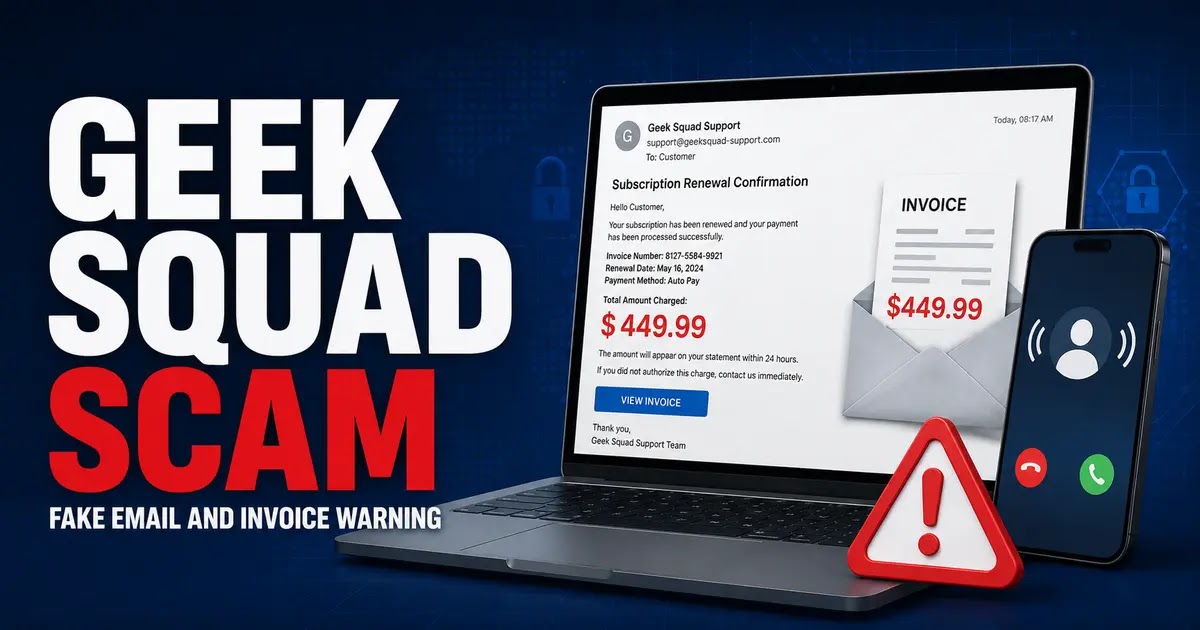
A Geek Squad renewal scam usually begins with an unexpected email, text message, invoice, or receipt claiming that a Geek Squad subscription has renewed for hundreds of dollars.
The message may say that you must call immediately to cancel the subscription, dispute the charge, or receive a refund. The telephone number, cancellation link, invoice attachment, and supposed billing department may all be controlled by scammers.
These messages are also described as the Geek Squad invoice scam, Geek Squad subscription scam, Geek Squad scam email, or “geeksquad scam email.” They generally refer to the same family of Best Buy and Geek Squad impersonation schemes.
Quick verdict: Geek Squad is a legitimate Best Buy service, but an unexpected renewal invoice that tells you to call an included number is a major scam warning sign.
Do not call the number, click the cancellation link, open an unexpected attachment, or install remote-access software. First check your actual bank or credit-card activity and independently accessed Best Buy account.
The fastest way to check the claim:
- Open your bank or card issuer’s official app.
- Look for a matching Best Buy or Geek Squad transaction.
- Sign in to BestBuy.com by typing the address yourself.
- Review your memberships, protection plans, subscriptions, and purchases.
- Contact Best Buy through its official website if anything remains unclear.
If no matching transaction or membership exists, the invoice was probably sent to frighten you into calling the scammer.
What Is the Geek Squad Renewal Scam?
The Geek Squad renewal scam is a business-impersonation and callback-phishing scheme. Criminals misuse the names, logos, colors, and reputation of Geek Squad and Best Buy to make a fake billing notice appear authentic.
The notice may claim that:
- Your Geek Squad subscription renewed automatically.
- A one-year protection plan was activated.
- Your card was charged between approximately $299 and $499.
- An invoice or receipt is attached.
- You must call within 24 or 48 hours to cancel.
- A refund is available only by speaking with the billing department.
- Your computer protection or antivirus coverage is about to expire.
The supposed charge often does not exist. The invoice is bait designed to make recipients call before checking their real accounts.
Example of a Geek Squad Scam Email
A fake message may use wording similar to:
Subject: Geek Squad Subscription Renewal
Thank you for renewing your annual Geek Squad protection plan. Your account has been charged $449.99. If you did not authorize this transaction, contact our billing department within 24 hours to cancel and receive a refund.
The amount, plan name, order number, deadline, sender address, and telephone number change frequently. Scammers can also address the recipient by name and use professionally formatted invoices.
A real-looking invoice number, customer ID, Geek Squad logo, or recipient name does not prove that the message is genuine.
How the Geek Squad Invoice Scam Works
- You receive an unexpected renewal email, receipt, text, voicemail, or invoice.
- The message claims that a large Geek Squad charge has been processed or is about to be processed.
- You are told to call immediately if you want to cancel the subscription.
- A scammer answers while pretending to represent Geek Squad billing or customer support.
- The caller asks you to provide account information or install remote-access software.
- The scammer attempts to view your financial accounts, capture passwords, or take control of your computer.
- You may be shown a fake refund or an altered bank-account balance.
- The scammer claims that too much money was refunded and demands repayment.
- You are instructed to send money through gift cards, cryptocurrency, a wire transfer, a payment app, cash, or another difficult-to-reverse method.
The FTC specifically warns that fake Geek Squad renewal messages may lead to remote-access and refund-overpayment scams.
Common Geek Squad Scam Variations
Geek Squad Subscription Renewal Email
This is the most common version. The message says that an annual membership or protection plan renewed automatically and that a large charge will appear on your account.
Fake Geek Squad Invoice or Receipt
The email may resemble a completed order receipt with an invoice number, transaction ID, product description, tax calculation, and total. These details are easily invented.
PDF Invoice Attachment
Some scammers place the telephone number and fake charge inside a PDF attachment. This can help the email evade automated spam filters.
Do not call a number, click a link, scan a QR code, or download software referenced in an unexpected PDF.
Geek Squad Refund Scam
The caller claims that a refund is available but needs your bank information or remote access to process it. The scammer may manipulate the screen to make it appear that an excessive refund was deposited.
You are then pressured to return the nonexistent overpayment with your real money.
Geek Squad Tech-Support Scam
An unsolicited caller, email, advertisement, or browser pop-up claims that your computer has a virus or serious security problem. The supposed technician asks to control your device remotely.
Legitimate remote-support services exist, but remote access should only occur during a support session you initiated through a verified company channel. An unexpected renewal email is not a safe way to begin a remote-support session.
Fake Password Reset Email
The message claims that suspicious activity was detected in your Best Buy account. Its reset link leads to a lookalike login page designed to collect your email address and password.
Fake Antivirus or Protection Plan
The email may offer free antivirus software or claim that malware has been found on your computer. The download may instead install malware, spyware, or remote-control software.
Geek Squad Scam Text Message
A text may claim that a renewal was processed, a payment failed, or an expensive protection plan was purchased. It may contain a callback number or phishing link.
Fake Invoice Sent to a Business
Businesses may receive invoices for support plans that no employee ordered. Some versions are simple payment demands, while others contain phishing links or attachments intended to compromise a company network.
Geek Squad Scam Email Warning Signs
- You do not recognize the service: The email describes a subscription or protection plan you never purchased.
- No matching charge exists: Your actual bank and card statements do not show the claimed transaction.
- The message creates urgency: You are given only a few hours to cancel or dispute the charge.
- Cancellation requires a phone call: The email strongly directs you to an unfamiliar number.
- The sender is unrelated: The message comes from a free email service, unrelated business, or misspelled domain.
- The reply address is different: The visible sender and reply-to address do not match.
- The invoice is attached unexpectedly: The message contains a PDF, image, document, QR code, or download you did not request.
- The plan name is vague or inconsistent: The invoice may mix Geek Squad, Norton, McAfee, Best Buy, or generic antivirus terminology.
- The caller requests remote access: You are told to install screen-sharing or remote-control software.
- The caller requests a verification code: You are asked to read a one-time passcode, PIN, or security code.
- Unusual payment is demanded: The caller wants gift cards, cryptocurrency, a wire transfer, cash, or a payment app.
- You are told to keep the transaction secret: The scammer warns you not to speak with your bank, family, or store employees.
Spelling mistakes can be a warning sign, but a message without errors is not automatically legitimate. Modern scam emails may be professionally written and accurately reproduce company branding.
How to Verify a Geek Squad Email Safely
- Do not use the message’s contact information. Do not call its number, click its link, or reply.
- Check your actual statement. Open your bank or card issuer’s official app and search pending and completed transactions.
- Access Best Buy independently. Type BestBuy.com into your browser or use the official Best Buy app.
- Review your account. Check purchases, memberships, subscriptions, and protection plans.
- Contact Best Buy through an official channel. Best Buy currently tells consumers to use contact information obtained directly from BestBuy.com.
- Contact the card issuer about a real unauthorized charge. Use the number printed on the back of the card.
Do not search only for a “Geek Squad cancellation number” and call the first sponsored result you see. Scammers can create fake customer-service pages and advertisements. Begin with Best Buy’s official website or a verified contact reference.
Does Geek Squad Have Real Subscriptions?
Yes. Best Buy offers legitimate memberships, subscriptions, protection plans, repairs, and technical-support services that may involve Geek Squad.
Therefore, not every Geek Squad email is fraudulent. Consumers who purchased a plan may receive legitimate account or service communications.
The correct question is not whether Geek Squad offers subscriptions. It is whether the specific membership and transaction shown in the message can be verified through your independently accessed Best Buy account and financial statement.
Does Geek Squad Send Renewal Emails?
A legitimate service may send renewal or account-related communications. However, do not assume that an individual email is authentic merely because it contains:
- Your real name.
- A Geek Squad or Best Buy logo.
- An invoice or order number.
- A professional-looking footer.
- A familiar-looking sender name.
- An accurate Best Buy address.
Sender names and email fields can be manipulated. Always verify unexpected billing activity independently.
What If There Is No Geek Squad Charge?
If your actual bank and credit-card activity contains no matching transaction, that strongly supports the conclusion that the invoice is fake.
Do not call to “cancel” a charge that does not exist. Report the message as phishing, block the sender, and delete it.
Receiving a scam email does not by itself create a charge or enroll you in a subscription.
What If a Real Best Buy or Geek Squad Charge Appears?
A real unauthorized charge requires prompt action, even if the email itself is fraudulent or unrelated.
- Contact the card issuer using the number printed on the card.
- Report the transaction as unauthorized.
- Ask whether the card should be replaced.
- Review other recent transactions.
- Secure your Best Buy and email accounts.
- Contact Best Buy through an independently verified channel.
For help identifying statement wording, see the Best Buy and Geek Squad charge guide on ChargeOnMyCard.com.
What If You Already Called the Number?
If you called but did not disclose information, install software, provide a verification code, or send money, hang up and block the number. Be cautious of follow-up calls because the scammers now know that your number is active.
What If You Clicked the Email Link?
If you clicked but did not enter information or download anything:
- Close the page.
- Do not grant notification, download, camera, microphone, or device permissions.
- Clear any suspicious downloads.
- Watch for follow-up phishing messages.
- Run a trusted security scan if a file downloaded or the device behaves unexpectedly.
If you entered a password, payment information, or personal details, take the additional account-security steps below.
What If You Opened the PDF Invoice?
Simply viewing an ordinary PDF does not automatically mean your account was stolen. However, unexpected PDFs may contain malicious links, QR codes, misleading telephone numbers, or harmful embedded content.
Update your operating system and security software, run a trusted scan, and check whether the PDF caused any additional file or program to download. Do not enable macros, special permissions, or remote access at the sender’s request.
What If You Installed Remote-Access Software?
- Disconnect the affected device from the internet.
- End any active remote-access session.
- Do not access email, banking, or investment accounts from that device.
- Remove the remote-access program and run a trusted security scan.
- From a different, clean device, change important passwords.
- Enable multifactor authentication where available.
- Contact your bank immediately if financial accounts were visible.
- Consider professional computer-security assistance if you are unsure whether access was fully removed.
Tell the bank that a scammer may have viewed or controlled your computer. That information can affect how the institution secures and monitors the accounts.
What If You Shared Banking or Card Information?
Contact the financial institution immediately using a verified number. Explain exactly what information was disclosed and ask whether the account or card should be restricted, replaced, or monitored.
Review pending transactions, transfers, newly added payment recipients, contact information, and security settings.
What If You Shared a Password or Verification Code?
- Change the affected password from a trusted device.
- Change any other account using the same or a similar password.
- Sign out of other sessions when that option is available.
- Review recovery email addresses and telephone numbers.
- Enable multifactor authentication.
- Check for forwarding rules or filters added to your email account.
- Contact the relevant company if an account was accessed.
A verification code should never be given to an unsolicited caller. The caller may need that code to approve a password reset, account login, payment, or transfer.
What If You Sent Money?
Contact the bank, card issuer, wire-transfer provider, payment app, cryptocurrency platform, or gift-card issuer immediately. Ask whether the payment can be stopped, recalled, frozen, or disputed.
Recovery is not guaranteed, but acting quickly may improve the chance of limiting the loss.
Do not pay a separate “recovery specialist” who contacts you and promises to retrieve the money. Scam victims are frequently targeted again through advance-fee recovery scams.
How Businesses Can Handle Fake Geek Squad Invoices
A company should not pay an unfamiliar invoice merely because it looks professional or is marked past due.
- Confirm that the vendor is approved.
- Verify who authorized the purchase.
- Match the invoice against purchase orders and prior records.
- Contact known vendors using saved contact information.
- Require a second review before changing payment instructions.
- Report suspicious attachments or links to the company’s IT or security team.
The FTC warned businesses in 2026 that fake invoices may impersonate recognizable companies such as Geek Squad and may also be used to obtain access to business data and networks.
How to Report a Geek Squad Scam Email
- Use your email provider’s Report phishing or Report spam option.
- Best Buy currently asks consumers to report suspected Best Buy or Geek Squad scams to abuse@BestBuy.com.
- Report the scam through ReportFraud.ftc.gov.
- Report computer access or financial cybercrime to the FBI Internet Crime Complaint Center.
- Forward suspicious text messages to 7726, which spells SPAM.
- Notify your bank or card issuer immediately if money or financial information was involved.
Preserve the original email, sender address, telephone number, attachment name, payment records, and screenshots. Do not publicly post passwords, verification codes, full card numbers, bank-account numbers, or Social Security numbers.
Official Geek Squad Scam Resources
- Best Buy: Protect Yourself From Cybercrime and Fraud Scams
- FTC: How to Recognize a Fake Geek Squad Renewal Scam
- FTC: How to Spot, Avoid, and Report Tech-Support Scams
- FTC: Fake-Invoice Warning for Businesses
- FBI Internet Crime Complaint Center
Geek Squad Contact and Charge Resources
Use independently obtained contact information rather than a telephone number contained in an unexpected invoice:
- Geek Squad customer-service information on CustomerServiceNumbers.com
- Geek Squad corporate office and consumer-review information on CorporateOfficeHeadquarters.com
- Best Buy and Geek Squad statement-charge guide on ChargeOnMyCard.com
These are independent informational resources. For access to an account, plan cancellation, or an unauthorized transaction, use Best Buy’s official website and your financial institution’s verified channels.
Related TIAS Scam Warnings
Did a renewal notice appear as a calendar event? Our calendar scam guide explains independent billing checks and the different Google and iPhone removal controls.
Seeing a virus or subscription warning on your screen instead of an invoice email? Our McAfee popup scam guide covers safe closing steps, browser notification permissions and independent subscription checks.
- Microsoft Security Alert Scam Warning
- Webroot Email Scam Warning
- USPS Scam Text PDF Warning
- Visa Click to Pay Scam Warning
Frequently Asked Questions
Is the Geek Squad renewal email a scam?
An unexpected email claiming that hundreds of dollars were charged and directing you to call an included telephone number is a major scam warning sign. Verify the claim through your actual statement and independently accessed Best Buy account.
Why am I receiving emails saying I have a Geek Squad subscription?
Scammers send fake subscription emails to large lists of addresses. Receiving the email does not mean you have a Geek Squad account or that a charge was completed.
What if the Geek Squad email includes my real name?
Your name does not authenticate the email. Names and email addresses may come from marketing databases, public sources, data brokers, or data breaches.
Is a Geek Squad invoice with an order number real?
Not necessarily. Scammers can generate convincing invoice, transaction, account, and membership numbers. Match the alleged purchase against your Best Buy account and financial statement.
How much does the Geek Squad scam email claim was charged?
Many versions claim charges of several hundred dollars, often in the approximate $299 to $499 range. The exact amount changes and should not be used to determine authenticity.
Should I call the Geek Squad number in the email?
No. Obtain Geek Squad or Best Buy contact information independently. The callback number in a fake invoice connects directly to the scammers.
What if there is no charge on my statement?
That strongly suggests the invoice is fake. Report the message as phishing and delete it. Do not call to cancel a nonexistent charge.
Can receiving the email charge my card?
No. Merely receiving or reading a message does not enroll you in a subscription or charge your card. The danger comes from calling, clicking, downloading, granting remote access, or disclosing information.
How do I cancel a real Geek Squad subscription?
Sign in to your official BestBuy.com account and review your memberships, subscriptions, and protection plans. If assistance is needed, contact Best Buy through contact information obtained directly from its official website.
Can a legitimate Geek Squad technician use remote access?
Legitimate remote-support options may exist when a customer initiates and verifies a support session through an official channel. Do not install remote-access software because an unexpected caller, invoice, email, or browser pop-up instructs you to do so.
Bottom Line
A Geek Squad renewal, invoice, subscription, or scam email is designed to make you react to an alarming charge before checking whether it exists.
Do not call the number in the message. Check your real financial accounts, access Best Buy independently, and use verified contact information.
If no charge exists, report
Leave a Reply